2026–2027 Small Business Success Planner: Built for Growth
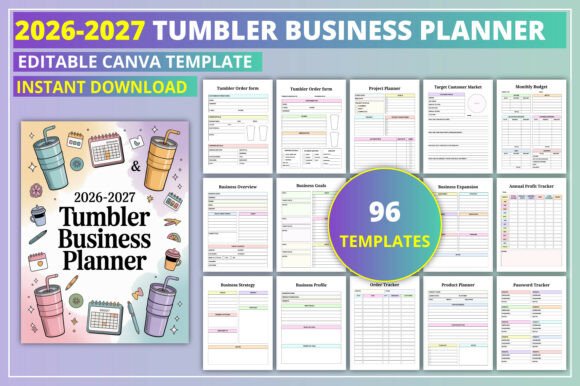
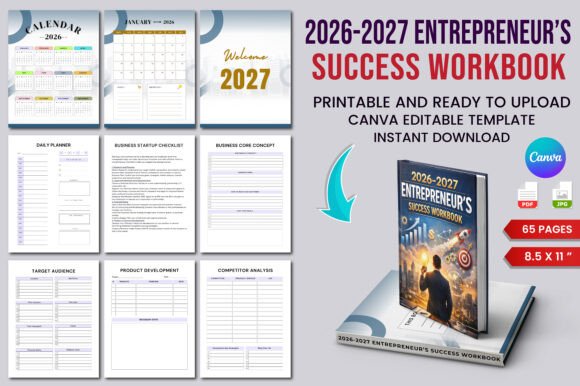
Running a small business at the end of 2026 and into 2027 requires a system—not just a place to jot down appointments, but a command center for your brand. The 2026–2027 Small Business Success Planner delivers exactly that. Whether you are an Etsy seller juggling inventory, a freelancer tracking client retainers, or a startup founder mapping quarterly growth, this editable Canva template gives you both the structure and the flexibility to scale intentionally. It treats your operations with the same strategic care you would apply to a brand identity project.
A Design System for Your Business Operations
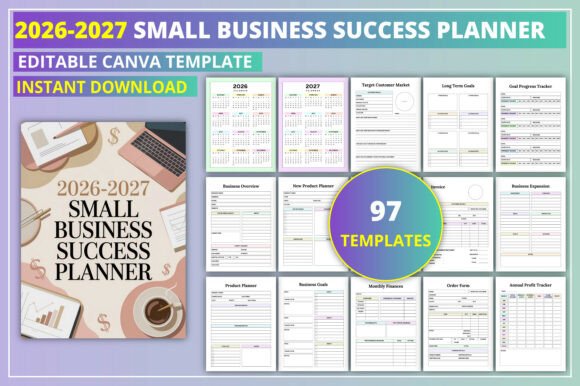
The first thing you notice about this planner is its visual clarity. It avoids the cramped, chaotic layouts that plague many small business organizers. Instead, it leans into modern typography and intentional white space. Each page—from the Business Overview to the Monthly Finances sheet—feels like part of a cohesive brand system rather than a random collection of forms.
This matters because how you organize your work directly impacts how you feel about your work. A clean visual hierarchy reduces cognitive load. When you open the Weekly Planner, your eye naturally moves from the high-priority tasks to the secondary objectives. The Daily Planner uses similar cues, ensuring your top revenue-generating activity never gets buried under administrative noise. You can think of the layout as the user interface for your business—good design here improves your decision-making speed and reduces friction.
For those selling on Etsy or Amazon KDP, the design itself is a product benefit. Customers buying a digital planner are looking for something that feels premium and complete. The 2026–2027 Small Business Success Planner presents a professional appearance that justifies a higher price point and builds trust with your buyers.
From Vision to Execution: The Strategic Core
Many planners focus heavily on daily tasks but neglect the bigger picture. This one bridges that gap elegantly. It opens with a Business Expansion page and a Business Overview, forcing you to articulate where your company is headed before you dive into the weeds. This is the difference between being busy and being productive.
The Goal Planner, Quarterly Goals, and Goal Action Plan sections work together as a strategic funnel. You define the long-term destination on the Long Term Goals page, then break that down into actionable quarterly milestones. The Goal Progress Tracker then serves as your feedback loop. It turns an abstract ambition into a measurable system.
Project Management Without the Bloat
The Project Planner is well-suited for creative teams and solo operators alike. It allows you to outline deliverables, set deadlines, and track dependencies. For Etsy sellers, this might mean mapping out a seasonal product launch. For freelancers, it could mean managing a website redesign for a client. Having this section integrated alongside your financials ensures you are not planning projects in a vacuum—you can immediately see how your time investment translates to revenue.
Financial Tracking That Doesn't Scare You
Financial pages are often the least used part of any planner because they feel intimidating. The 2026–2027 Small Business Success Planner makes them accessible. The Invoice template is straightforward enough to send to clients directly. The Monthly Budget and Monthly Finances sheets provide clear rows for income and expenses, making tax season significantly less painful.
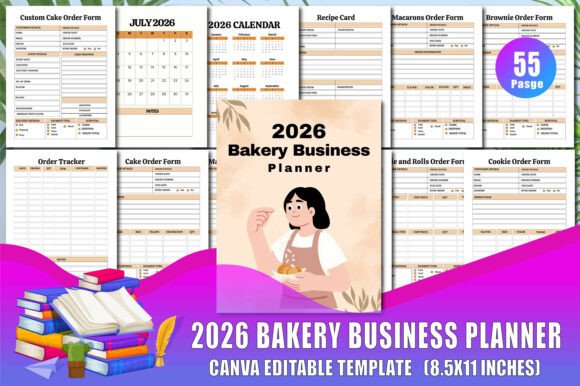
Two standouts here are the Order Tracker and the Client Payments log. If you sell physical products or manage multiple client retainers, these pages become indispensable. You can track deposits, due dates, and fulfillment status without switching between five different apps. The Annual Profit Tracker ties everything together. By the end of 2027, you will have a clear, page-by-page narrative of your business's financial health.
Built for Creators, Publishers, and Freelancers
If you publish on Amazon KDP or sell digital products on Etsy, this template is ready to work for you. The editable Canva format allows you to customize fonts, colors, and text to match your brand identity before selling it to your own customers. You can swap in your own logo, adjust the color palette to fit your shop aesthetic, and even change the page order to suit a specific niche.
The commercial licensing built into the template means you can sell the finished product confidently. For content creators and designers, this opens up a new revenue stream. You can create a branded version for your audience—perhaps targeting wedding planners, real estate agents, or fitness coaches—without starting from scratch. The foundation is solid; you just add your personal touch.
Practical Customization: Making the Planner Yours
Because this is a fully editable Canva template, you have control over every design element. Here are a few practical recommendations for tailoring it to your specific business:
- Choose fonts that reflect your brand personality. If you run a modern tech startup, go with a clean sans-serif for headers and a readable serif for body text. If your brand is more creative and approachable, a handwritten font for headings can add warmth without sacrificing professionalism.
- Test your font pairings for readability. The Daily Planner and Weekly Review sections contain dense information. Make sure the typeface you choose remains legible at smaller sizes. A common mistake is using a decorative display font for body copy—save those for the Belongs To page or section dividers.
- Maintain visual hierarchy. Use bold weights for goal titles and secondary tasks. Keep your color palette limited to two or three brand colors. This consistency builds recognition and makes the planner feel like a professionally published product rather than a DIY project.
- Consider your audience. If you are selling this on Etsy, look at what similar planners are using for their cover designs and interior layouts. A clean, modern style with intentional typography tends to appeal to a wider demographic than something overly trendy or niche.
The beauty of a digital template is that you can iterate. Test one version for yourself for a month, note what works, then adjust the layout or typography before publishing it for sale.
Sustaining Consistency Across Every Touchpoint
One of the most overlooked aspects of small business growth is operational consistency. The 2026–2027 Small Business Success Planner helps you build that habit. The Daily Review and Weekly Review pages encourage reflection without becoming tedious. They ask the right questions: What did I accomplish? What needs to shift? Where is my energy best spent next?
This consistent rhythm of planning, executing, and reviewing is what separates businesses that plateau from those that compound their growth. When you pair that with clear financial tracking and project management, you are no longer just surviving the week. You are building a business that can scale.
For the entrepreneur who values design as much as function, this planner strikes a rare balance. It gives you the structure of a corporate operations manual with the warmth and flexibility of a creative tool. Whether you are mapping out a New Product Launch, defining your Target Customer Market, or simply trying to stay on top of daily invoices, the 2026–2027 Small Business Success Planner provides the canvas. Your job is to fill it with purpose.